Manage Shop Stock in PC Store Together
Open Stock Store on the shop PC to buy retail cartons from Kestrel Supply. At the workbench, open Workshop inventory to choose individual parts and tools for PC jobs. For Stock Planner, open Management and scroll to the bottom.
Updated · Steam release
Step by step
Send each purchase to the right place
Decide whether you need products for the sales floor or loose parts for a PC. For a specific customer PC, open the job in Tech Support Mail and use Order missing parts. For other components, use PC Parts Store on the shop PC and collect the parts delivery for workshop storage.
 Open full-size image ↗
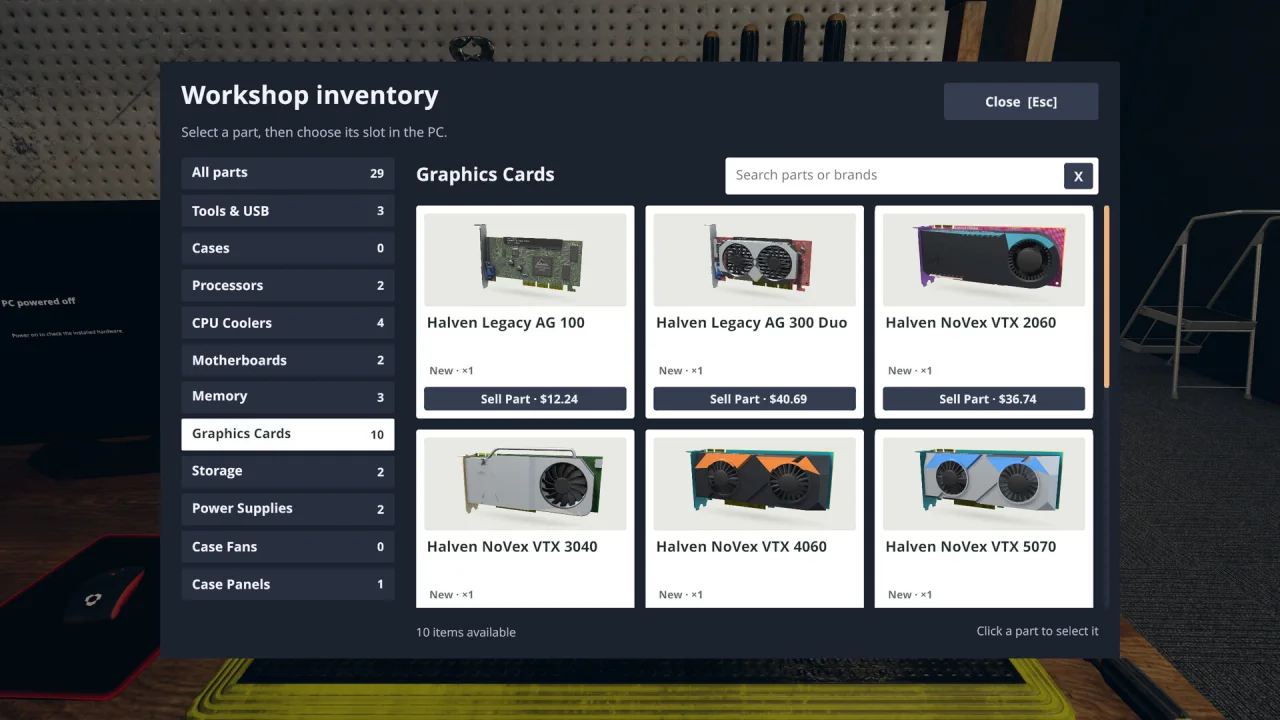
Workshop inventory holds individual PC parts for jobs and builds. Steam store screenshot. Where to buy, store, and use stock You need Start here Where it goes Boxed products to sell Shop PC → Stock Store (Kestrel Supply) Unpack the carton onto the sales shelf or store it in an empty stock rack bay. Loose parts for a PC Tech Support Mail → Order missing parts, or PC Parts Store Put the parts in workshop storage so you can select them on the bench. A part or tool you already own Workbench → Install → Workshop inventory Select the part and fit it into its matching slot, or choose the tool for the job. Receive cartons, fill shelves, and set a price
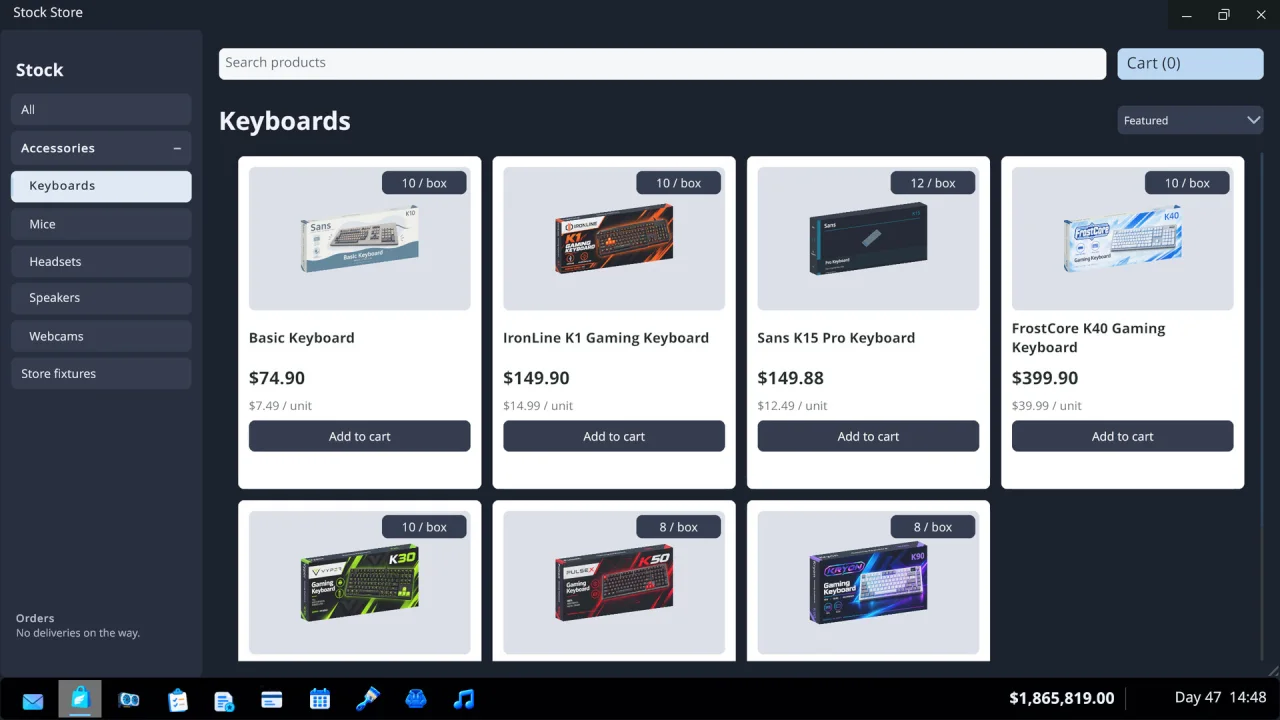
Place the Kestrel Supply order, collect the cartons at the delivery area, and transfer the goods onto the sales shelf. Use the shelf tag to open Set Price and confirm how much customers will pay. For monitors on the sales floor, use the dedicated monitor shelving.
 Open full-size image ↗
Use Stock Store for boxed merchandise that will go on sales shelves. Steam store screenshot. Fit large drive cartons in a rack
Carry the carton to the storage room and aim at an empty bay in the stock rack. Large storage-drive cartons go in sideways. If you still get Choose an available stock rack bay, try a genuinely empty slot and confirm your game is updated. An assigned stock assistant now discards cartons it empties and clears empty cartons left in rack bays.
Find Stock Planner and check what to reorder
On the shop PC, open Management and scroll to the very bottom for Stock Planner. Check how much you still have on the sales floor and in cartons before ordering replacements. The shop PC also shows Trending products. Check the current item when you're deciding what to reorder.
How to tell it worked
Retail stock is on a priced sales shelf or in a storage rack bay. Workshop parts show up under the relevant category in Workshop inventory when you choose Install.
Troubleshooting
If a boxed item is missing from the bench list, buy the required component through PC Parts Store or the customer's Mail order and collect it for workshop storage. If you try to sell a loose workshop part, read the confirmation first. It warns you when an accepted PC job may need that part.