PC Store Together First Week and Co-op Guide
Start with a small Kestrel Supply order, stock and price your shelves, then flip the front sign to Open. Check Calendar on the shop PC for your first weekly bill before committing the rest of your cash. In co-op, split checkout, stock, and PC jobs so you can review them before anyone ends the day.
Updated · Steam release
Step by step
Open and run Day 1
A fresh shop starts with $500. Use the shop PC's Stock Store to place a starter order. A carton each of keyboards, mice, and headsets gives you a few items to put on the starting shelves. Collect the delivery, stock the shelves, set the price tags, and flip the sign by the entrance to Open. Serve retail buyers at checkout and take PC jobs at Tech Support. Check both counters before you settle into a long repair.
Check the first weekly bill in Calendar
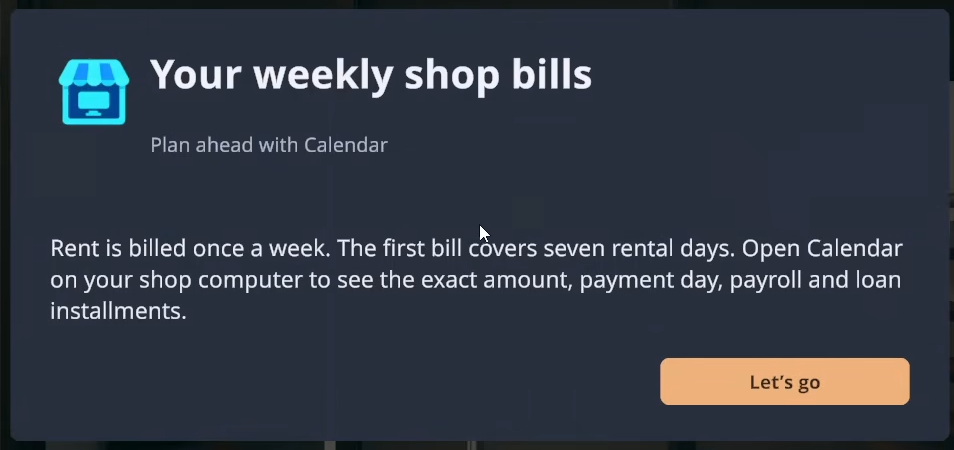
Open Calendar on the shop PC and look for the next shop bill. Rent is billed weekly, and the first bill covers seven rental days. Use the due date and amount shown for your shop to plan how much cash to set aside before ordering more stock or buying a fixture.
 Open full-size image ↗
The weekly bill prompt points to Calendar for the due date and amount. Creeativvez, 9:26. Restock and hand off before closing
Review the shop PC's Trending panel, then check which items are running low on the shelves. Restock those items first. Look at the shop's licenses when you need another product category, and compare the cost of new products or shop space with the cash you want available for your next bill. Before ending the day, check unopened deliveries, accepted jobs, and PCs waiting for pickup. In a shared shop, tell the next player what's still open.
Set up a co-op shift
Online co-op supports up to four players from the start. With two people, put one on the floor and one on PC jobs. With more, give checkout, deliveries and shelves, builds, and repairs to different players. Agree when to close. Any player can end the day after Hotfix 2. If joining fails with a version message, the player named in it should update and relaunch the Steam game.
Swap the shop PC's case between shifts
Have an empty replacement case in workshop storage. Move the shop PC from its desk to a workbench, choose Swap case, and select the replacement. The parts move into it automatically and the previous case goes back to workshop storage. Return the shop PC to its desk so the next shift can access Mail, stock, and Calendar.
How to tell it worked
Your shelves have prices, you've checked the next bill in Calendar, and everyone knows which orders and pickups carry into the next shift. After a case swap, the rebuilt shop PC is back on its desk and the old case is in storage.
Troubleshooting
If a case is missing from Swap case, make sure it has been fully stripped and returned to workshop storage. If a co-op guest can't hand over a repair, have them read the refusal message and follow the remaining job requirement.