How to Sell a Display PC in PC Store Together
Build and test a PC for your shop, put it on a sales display, and set its price. Hotfix 2 makes PC buyers visit three times as often while a priced PC is on display. New parts contribute 65% of their price to a built PC's value. PCs with a display price set before the update retain that price.
Updated · Steam release
Step by step
Check the parts cost before building for sale
Decide what you can spend on a shop build before you buy compatible parts. Hotfix 2 counts a new part priced at $100 as $65 toward the PC's built value. Use the price shown for the finished machine to judge whether the sale makes sense for your actual costs. The 65% applies to new parts in a built PC. A customer's exact-parts order uses the job in Tech Support Mail and its own parts budget.
Place the finished PC on a sales display
Finish assembly at the workbench and check that the PC powers on and passes its test. Carry the finished PC to an empty sales display in the shop and place it there. Look at the front of the display for its price tag and set a sale price. Verify that the price is visible after confirming.
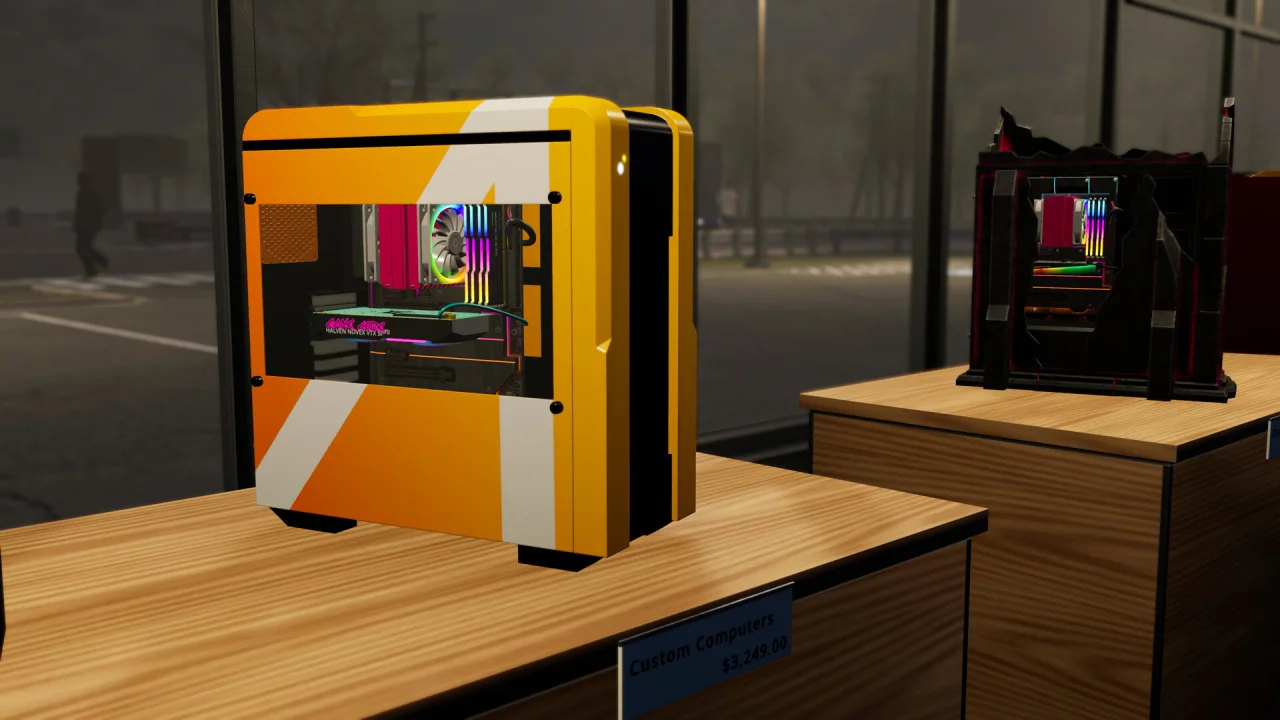
Place the finished PC on a sales display, then check its price tag. Check what changed and why a PC might be sitting
A PC with a sale price on display qualifies your shop for the higher PC-buyer visit rate. Leave the display stocked and the shop open, and check whether the PC actually sells before ordering parts for your next build. If a PC already had a price set on its display before Hotfix 2, its existing price still applies.
How to tell it worked
The finished PC is ready for sale when it's on a sales display with a visible price. Count the proceeds once the sale goes through.
Troubleshooting
If a PC isn't selling, verify that it's on a sales display, has a price, and is available while the shop is open. If the displayed value is lower than you expected, compare it with the Hotfix 2 new-part valuation and your parts bill before spending on another build.
